Can I still use Google Maps?
Yes. Fouffy Dog Routing can open routes in Google Maps for navigation.
 Fouffy DogRouting
DIY route workflows
Build routes faster and spend less time moving stops around.
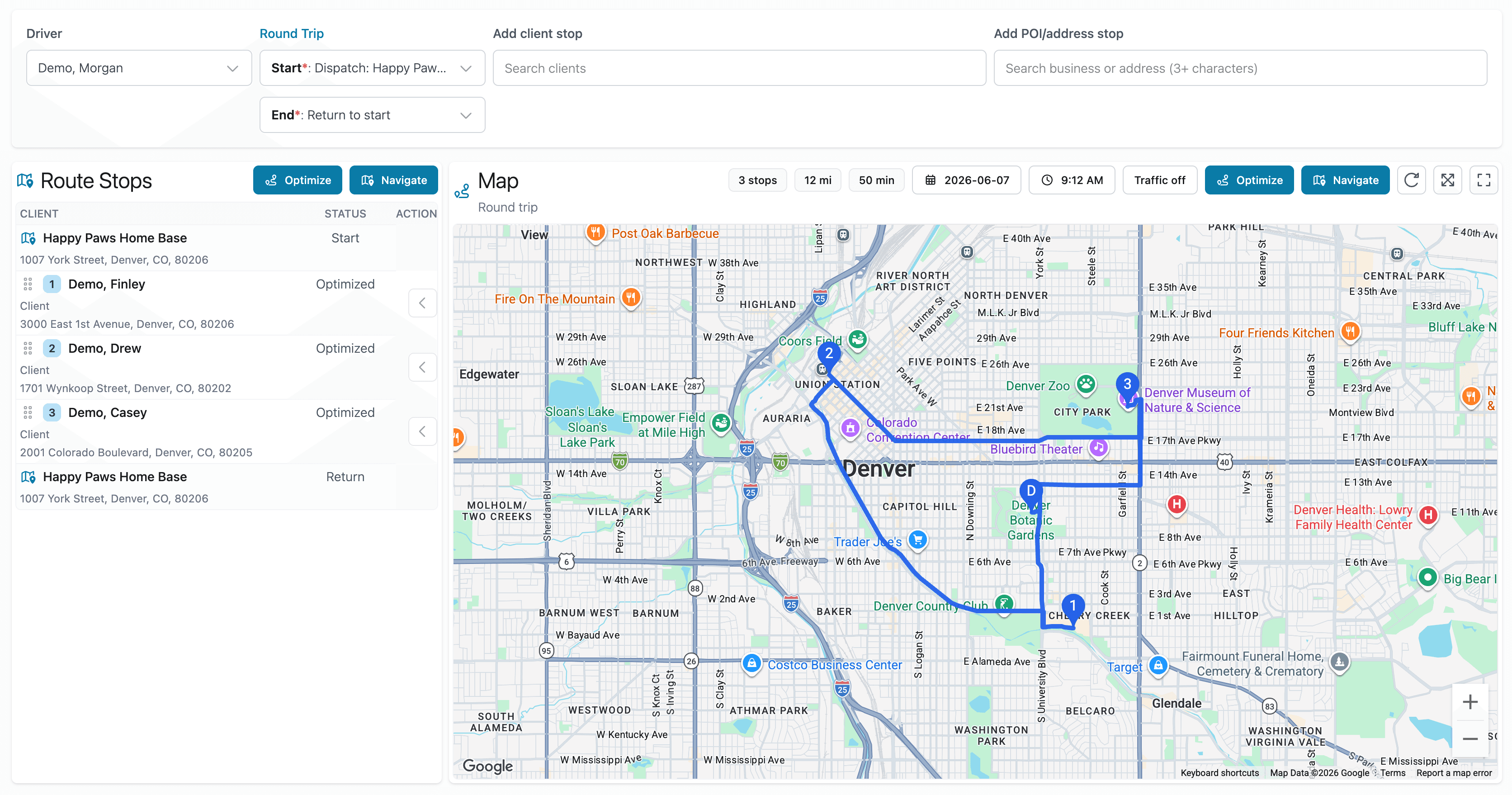
The problem
Google My Maps works well for storing locations.
Route planning often becomes a loop of spreadsheet work, map edits, manual adjustments, and repeated cleanup.
Fouffy Dog Routing helps you move from customer and appointment spreadsheets to optimized routes more directly.
Better workflow
Smart spreadsheet import
Upload customers, appointments, or route stops, validate addresses, and build a route without manually moving every stop around.
FAQ
Yes. Fouffy Dog Routing can open routes in Google Maps for navigation.
Yes. You can add customers, saved places, or searched addresses directly, then optimize and navigate the route.
Yes. Drivers can sign in to view assigned routes and open navigation from the route map.
Fouffy Dog Routing is focused on practical route planning for service businesses, not heavy fleet management.
Yes. You can search for businesses or addresses and save useful places for future routes.
We are currently accepting beta users.